From Forms to Action: Building Recommendation Engines with Microsoft Power Automate
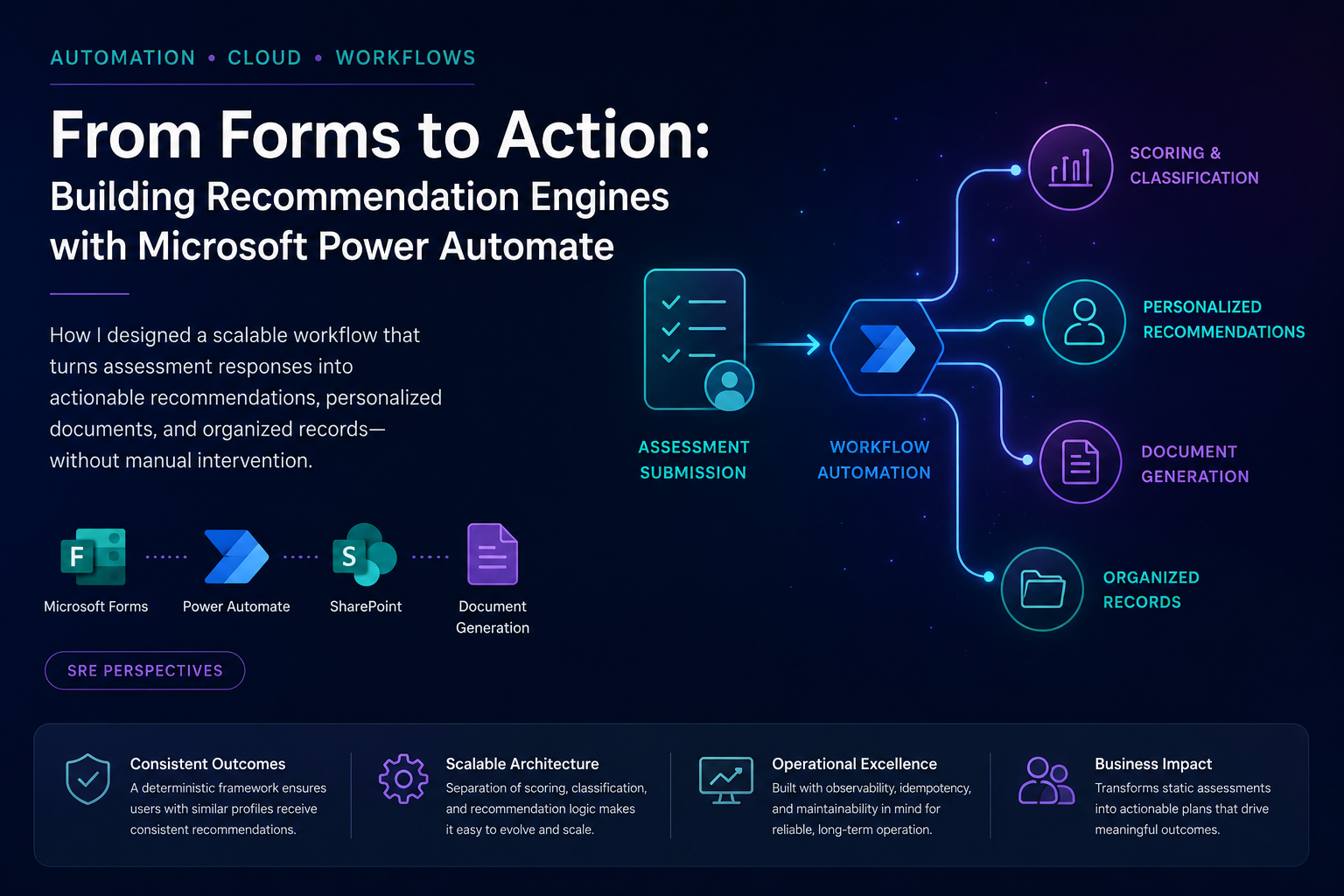
When most people think about Power Automate, they think about notifications, approvals, and moving data between some specified number of systems. What is often overlooked is its ability to function as a lightweight decision engine. Recently, I designed and configured a workflow that transformed assessment responses into structured recommendations. The pipeline then generated personalized planning documents, and automatically organized records within Sharepoint and OneDrive. While the business use case itself is proprietary, the architectural patterns are applicable across industries including employee onboarding, customer success, education, professional development, and service delivery. The challenge wasn't collecting information.
The challenge was transforming information into consistent outcomes.
The Problem
Most assessment-driven workflows follow a similar pattern:
Form Submission

↓

Process Responses

↓

Generate Recommendations

↓

Create Documents

↓

Store Records
At first glance, this appears straightforward. However, recommendation logic becomes increasingly difficult as additional questions, services, and decision criteria are introduced.
A common implementation pattern looks like this:
If Answer A

<Assign Recommendation X>

If Answer B

<Assign Recommendation Y>

If Answer C

<Assign Recommendation Z>
This works initially but introduces several operational challenges, such as:
- Recommendation overlap
- Logic duplication
- Difficult maintenance
- Inconsistent outcomes
- Limited scalability
As the workflow continues to grow, users can begin to receive too many recommendations, many of which are redundant or because recommendation logic wasn’t actually optimized to recommend the best and most aligned option.
A Better Pattern:
Score → Classify → Recommend
Rather than assigning recommendations directly from responses, I redesigned the workflow around a three-stage decision model.
Assessment Responses

 ↓

Scoring

↓

Classification

↓

Recommendation Mapping
This separation creates cleaner logic and significantly improves maintainability.
Stage 1: Scoring
Each response contributes points toward one or more categories.
Example:
Leadership Score Growth Score
Transition Score Execution Score
Instead of assigning recommendations immediately, the workflow builds a profile based on cumulative scoring.
Stage 2: Classification
Once scoring is complete, decision logic identifies the dominant category.
Highest Score

↓

Primary Classification
This becomes the user's primary outcome.
The classification represents a summary of all responses rather than a reaction to any single answer.
Stage 3: Recommendation Mapping
Recommendations are assigned from the classification rather than individual responses.
Classification A

↓

Recommendation Package A


Classification B

↓

Recommendation Package B


Classification C

 ↓

Recommendation Package C
This produces more focused and explainable outcomes.
Power Automate Architecture
The implementation leveraged a combination of Microsoft Forms, Power Automate, and SharePoint/OneDrive.
Microsoft Forms

 ↓

Get Response Details

↓

Initialize Variables

↓

Score Assessment

↓

Determine Classification

↓

Generate Recommendations

↓

Create Planning Document

↓

Store in SharePoint
The workflow automatically:
- Processes submissions
- Calculates scores
- Determines classifications
- Generates recommendations
- Creates documents
- Organizes records
without requiring manual intervention.
Design Patterns That Improved Reliability
1. Separate Scoring from Recommendations
The most important lesson learned.
Avoid:
Answer
↓
Recommendation
Prefer:
Answer
↓
Score
↓
Classification
↓
Recommendation
This reduces complexity and improves maintainability.
2. Use Variables for State Management
Power Automate workflows become difficult to troubleshoot when state is scattered throughout conditions.
Centralizing score tracking through variables provides:
- Better readability
- Easier debugging
- Cleaner decision logic
3. Keep Recommendation Logic Modular
Business rules change frequently.
By isolating recommendation mappings from scoring logic, recommendation packages can evolve without redesigning the entire workflow.
4. Design for Scale
Many low-code solutions work well with ten questions.
The real test is whether they still work with fifty.
Designing around classifications instead of individual responses allows workflows to grow without becoming unmanageable.
Operational Considerations
As with any production workflow, functionality is only one part of the equation.
Several engineering considerations influenced the final design:
Observability
Track:
- Submission IDs
- Processing status
- Classification outcomes
- Document generation success
Idempotency
Prevent duplicate submissions from generating duplicate records.
Maintainability
Separate business logic from workflow orchestration whenever possible.
Scalability
Design for future categories, recommendation packages, and reporting requirements.
Final Thoughts
Power Automate is often viewed as a simple automation platform. While not the most robust solution, it still served its purpose automating logical recommendations from a basic form responses. In reality, it can support surprisingly sophisticated decision-support systems when workflows are designed thoughtfully. The key lesson from this project was that recommendation engines should not be driven directly by answers. They should be driven by classifications.
That single architectural decision transformed a growing collection of conditions into a maintainable, scalable recommendation framework. Sometimes the most valuable automation isn't about moving data. It's about operationalizing simple decisions.